Smart Home Guide: How Connected Homes Work, What Matters, and Where to Go Next
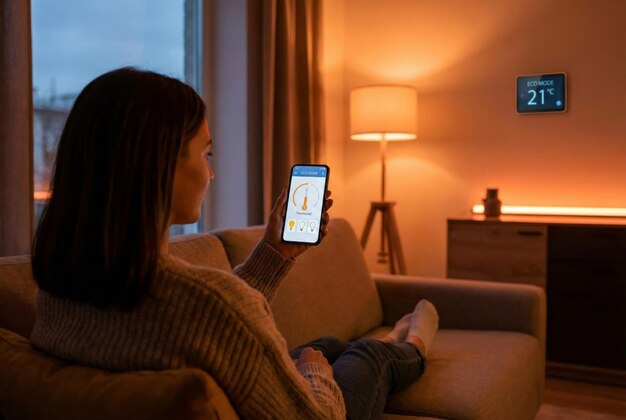
A smart home is a home where everyday devices — lights, locks, thermostats, cameras, speakers, appliances, and more — are connected to the internet and can be monitored, controlled, or automated, often with a phone or voice.
That simple idea opens up a huge category. People explore smart homes for many different reasons: convenience, safety, energy awareness, accessibility, or simply curiosity about new tech. Research suggests that connected devices can change how people use energy, feel about safety, and interact with their homes, but the impact varies widely from one household to another.
This page is a hub for understanding the smart home as a whole: what it covers, how it works, what affects results, and how the many subtopics fit together. It cannot tell you what you should do, but it can give you the framework to ask better questions about your own situation.
1. What “Smart Home” Means and Why It Matters
At its core, a smart home combines three ideas:
- Connected devices: Physical things like bulbs, plugs, locks, thermostats, cameras, and appliances that can send and receive data.
- Control and automation: Apps, hubs, and voice assistants that let you monitor and control devices, or have them act automatically based on rules or sensors.
- Data and integration: Information about your home — temperature, motion, energy use, door status, and more — that can be shared between devices and with cloud services.
Common terms you’ll see:
- Smart device / smart appliance: Any household device with connectivity and some degree of digital control or automation.
- Smart home hub: A central device or app that connects and coordinates multiple smart devices.
- Voice assistant: Software that lets you control devices using voice commands (for example, through a smart speaker).
- Automation / scene / routine: Predefined rules or scripts that tell devices what to do under certain conditions (e.g., lights on at sunset).
- IoT (Internet of Things): The broader term for internet-connected physical devices, including smart home products.
- Protocol: The communication language devices use to talk to each other (such as Wi‑Fi, Zigbee, Z‑Wave, Thread).
Why people care about smart homes differs a lot:
- Some want comfort and convenience (hands-free lights, music in every room, automatic shades).
- Others focus on home security and safety (cameras, smart locks, smoke alarms that send alerts).
- Many look at energy and cost awareness (smart thermostats, plugs that track usage, detailed consumption data).
- For some, accessibility and independence matter most (voice control for people with mobility or vision challenges, remote monitoring for caregivers).
Studies in fields like human-computer interaction, energy research, and security generally show that smart home tech can:
- Change energy use patterns (sometimes up, sometimes down, depending on behavior and settings).
- Affect people’s sense of comfort, control, and safety.
- Introduce new privacy and security questions, since more data about the home is collected and transmitted.
Results are not uniform. How any of this plays out depends heavily on the specific devices, settings, home, and people using them.
2. How Smart Homes Work: The Building Blocks
To understand smart homes, it helps to picture four layers working together:
- Devices and sensors
- Local network and protocols
- Control layer (apps, hubs, voice assistants)
- Cloud services and data
2.1 Devices and Sensors
Most smart homes start with a few smart devices. These can be:
- Smart lights: Bulbs or switches that can dim, change color, or turn on/off remotely.
- Smart plugs and outlets: Let you turn existing devices on/off and sometimes measure energy use.
- Smart thermostats: Control heating and cooling with schedules, sensors, and sometimes learning algorithms.
- Smart locks and garage controllers: Let you lock/unlock doors or open/close garages remotely and track usage.
- Cameras and doorbells: Provide video feeds, motion alerts, and sometimes facial or object detection.
- Sensors: Motion, door/window open/close (contact), temperature, humidity, water leak, smoke/CO detectors.
These devices either respond to commands (turn on light) or send data (motion detected in hallway), or both.
2.2 Networks and Communication Protocols
To connect, devices need a way to “talk.” Common options:
| Communication type | Typical uses | Trade-offs (general) |
|---|---|---|
| Wi‑Fi | Cameras, plugs, many mainstream devices | High bandwidth, but can crowd home Wi‑Fi network |
| Bluetooth / BLE | Nearby control, wearables, locks | Short range, often phone-dependent |
| Zigbee / Z‑Wave | Sensors, switches, dedicated smart gear | Requires a hub; efficient and low power |
| Thread | Newer low-power mesh for smart home | Aims for better reliability and interoperability |
| Matter (application layer) | Standard on top of others | Designed to make different brands work together |
Most people never work directly with these protocols; they just experience whether their devices connect reliably. But under the surface, protocol choices influence:
- Range and reliability
- Power use (especially for battery sensors)
- What kinds of hubs or apps can control the device
- How easy it is to mix brands in one system
2.3 Control: Apps, Hubs, and Voice Assistants
The control layer is where smart home devices become useful day to day. This includes:
- Mobile apps from device makers
- Smart home hubs that connect and coordinate different devices
- Voice assistants and smart speakers or displays
Here, you can usually:
- Check device status (is the door locked? what’s the temperature?)
- Control devices (turn off lights, adjust thermostat)
- Create automations (if motion is detected at night, turn on hallway light)
- Group devices by room and create scenes (for example, “movie time” to dim lights and close blinds)
From a research perspective, this layer matters because:
- It shapes how usable the system feels. Complex or confusing apps can limit how much people actually benefit from the devices.
- It affects data flows — which companies receive data, how it is stored, and what is done with it.
2.4 Cloud Services and Data
Many smart home devices rely heavily on cloud servers:
- Commands may travel from your phone to a remote server and back to the device.
- Video, audio, and sensor data may be uploaded, processed, and stored remotely.
- Features such as facial recognition, “smart alerts,” and some automations may run in the cloud rather than locally.
Researchers and privacy experts point out that this raises questions about:
- Data security: How well data is protected from unauthorized access.
- Privacy: Who can see details about your home, when you are present, and what devices you use.
- Reliability: What happens if the internet connection or company servers go down.
Some devices also support local control, where commands and automations run inside the home network even if the internet is down. The balance between local and cloud control is a key technical and privacy design choice.
3. What Shapes Outcomes in a Smart Home
The same smart device can have very different effects in different homes. Several variables influence how a smart home setup works out.
3.1 Type of Home and Infrastructure
- Housing type: Detached house, apartment, condo, rented room — each offers different freedom to install hardware, use wiring, or place outdoor equipment.
- Age and wiring of the building: Older homes may have wiring or layouts that make some devices harder to install or less reliable.
- Internet connection: Speed, reliability, data caps, and Wi‑Fi coverage strongly affect real-time features like cameras and cloud-based automations.
3.2 Household Members and Routines
- Number of people: More people often means more phones, more schedules, and potentially more confusion or conflicts about device behavior.
- Comfort with technology: People who enjoy experimenting with tech often set up more complex systems; others may prefer a few simple, reliable devices.
- Daily patterns: Work hours, travel habits, sleep schedules, and pets all influence which automations will make sense or cause frustration.
Research on smart home use patterns shows that initial excitement sometimes gives way to simpler, more stable routines as households find what truly fits their lives.
3.3 Goals and Priorities
People tend to approach smart homes with different main goals:
- Convenience-first: Wants “it just works” with minimal tinkering.
- Security-first: Focuses on cameras, locks, and alerts.
- Energy and cost awareness: Tracks usage and fine-tunes heating, cooling, and major appliances.
- Accessibility and care: Uses devices to support older adults, people with disabilities, or remote caregivers.
These priorities guide which devices matter most and how success is judged. For example:
- A motion sensor that turns on hallway lights at night might be a big win for someone at risk of falls, but barely noticeable to someone else.
- A camera system might improve one person’s feeling of security while raising another person’s concerns about surveillance in shared spaces.
3.4 Budget, Time, and Technical Skills
- Budget: Some households invest heavily in whole-home systems; others start with a single smart plug or bulb.
- Time and patience: Setting up and maintaining a larger system can take ongoing effort, especially during updates or when devices misbehave.
- Technical skill or support network: Comfort with troubleshooting networks, reading documentation, or asking for help affects how complex a system people feel comfortable using.
Studies on adoption of home technologies often find that complexity and lack of clear value can cause people to abandon or underuse devices.
3.5 Privacy, Security, and Trust Preferences
Smart homes involve trade-offs between convenience, detailed data, and control over information. People differ in:
- Comfort with monitoring: Some are fine with detailed logs of home activity; others view them as intrusive.
- Trust in cloud services: Attitudes toward companies collecting and analyzing household data vary.
- Tolerance for risk: For some, the idea of internet-connected locks or cameras feels acceptable; others find it unsettling.
These differences shape what devices people choose, how they configure them, and whether they enable certain features (like cloud backups or facial recognition).
4. The Spectrum of Smart Homes: From Simple to Fully Integrated
Smart homes are not all-or-nothing. They exist on a spectrum, and many households move along that spectrum over time.
4.1 Single-Device or “Starter” Smart Homes
Some households stop at one or two devices:
- A smart thermostat to manage heating and cooling
- A single camera at the front door
- A couple of smart plugs to control lamps
Research shows even small changes like programmable thermostats can influence comfort and energy use when set up and used well. But the impact depends on factors such as insulation, climate, and user habits.
These small setups may still raise questions (for example, about data use or reliability), but are easier to understand and manage.
4.2 Room- or Function-Focused Smart Homes
Next along the spectrum are homes that focus smart devices around a particular space or goal:
- A home theater with smart lighting, sound, and curtains.
- A security-focused setup with door sensors, motion detectors, and cameras.
- A smart kitchen with connected appliances and plugs on high-use devices.
Automations at this level often tie multiple devices together, such as:
- Turning off all lights and lowering thermostat when leaving.
- Turning on porch lights and recording video when motion is detected at night.
This is where households begin to feel both the benefits of integration and the complexity of coordinating many devices.
4.3 Whole-Home Integrated Smart Systems
At the far end are homes where many systems are connected:
- Lighting, climate control, shades or blinds, audio, security, water leak detection, sometimes even irrigation and major appliances.
- Centralized control panels, comprehensive automations, and detailed monitoring.
Research into these more sophisticated environments suggests:
- They can support advanced energy management and tailored comfort.
- They raise more complex questions about long-term maintenance, data governance, and what happens when systems age or companies change support policies.
- Household members sometimes feel a loss of transparency: it can be hard to tell why something happened (“Why did the heat turn off?”).
Very few households use every possible feature. Even in advanced smart homes, people tend to rely on a limited set of routines that fit their lives.
5. Trade-Offs and Outcomes: What Research Generally Shows
Because smart homes cover many device types and use cases, there is no single “smart home outcome.” Still, research and expert analysis point to recurring themes in several areas.
5.1 Comfort, Convenience, and Habit
Studies in human-computer interaction and domestic technology often find:
- Smart devices can reduce small daily hassles (like forgetting to turn off lights) and make some tasks easier.
- Over time, people often simplify: they keep the automations that fit their routines and abandon ones that feel confusing or intrusive.
- “Invisible” automation (like lights that just come on when needed) may increase comfort but can also reduce awareness of how things work until something breaks.
The effect on day-to-day satisfaction differs by person. Some enjoy tinkering and optimization; others prefer systems that require almost no attention.
5.2 Energy Use and Environmental Impact
Smart thermostats, plugs, and detailed usage data can influence energy behavior. Research generally indicates:
- Smart thermostats and better scheduling can reduce heating and cooling energy use in some households, especially when previous schedules were inefficient.
- Providing feedback and usage data sometimes encourages people to adjust habits (for example, shifting usage to cheaper times or turning off idle devices), but not always.
- Any savings are influenced by local climate, insulation, energy prices, baseline behavior, and how devices are configured.
Results are often mixed: some households see noticeable changes; others see almost none or even increased energy use due to new gadgets.
5.3 Security and Safety
Smart security devices change both actual protection and the feeling of safety:
- Cameras, smart locks, and sensors can increase visibility into what’s happening at home and send alerts if something unexpected occurs.
- Some people report greater peace of mind; others feel uneasy about being recorded or monitored.
Security experts also note:
- Internet-connected devices introduce new attack surfaces — ways someone could attempt unauthorized access.
- Basic practices like strong passwords, timely updates, and careful configuration reduce risk but do not eliminate it.
Research into crime prevention effects is still developing, and outcomes depend on the local context, device placement, and how systems are used.
5.4 Privacy and Data Use
Smart homes generate detailed data about:
- Presence and absence
- Movement within the home
- Use of appliances and media
- Some spoken interactions (for voice-controlled systems)
Privacy research highlights concerns such as:
- Who can access this data, under what conditions.
- How long data is stored and whether it is used for advertising, analytics, or shared with third parties.
- The impact of recording guests or household members who may not have chosen to be monitored.
Attitudes toward these issues differ sharply. Some prioritize features over privacy concerns; others adjust settings, choose more locally-focused devices, or avoid certain categories.
6. Key Smart Home Subtopics to Explore Further
The smart home landscape naturally breaks into several sub-areas. Each can be studied on its own, and each interacts with the others.
6.1 Smart Lighting and Electrical Control
Smart lighting is often the first step into the smart home world. It includes:
- Smart bulbs and light strips
- Smart switches and dimmers
- Smart plugs and outlets
Questions people commonly explore here:
- How do different lighting approaches affect comfort and mood?
- What are the trade-offs between bulbs versus switches?
- How do automations (such as “away” lighting) intersect with energy use and security?
Lighting research also connects to circadian rhythms and sleep; tunable white light, for example, is an area of ongoing study.
6.2 Smart Thermostats, Heating, and Cooling
Climate control is a major energy use in many homes, so smart thermostats and HVAC controls attract attention. Within this subtopic:
- People look at schedule-based vs. learning-based systems.
- Researchers examine how feedback and automation change heating and cooling patterns.
- There is interest in how smart controls interact with insulation quality, building type, and local climate.
No single approach fits everyone; outcomes depend heavily on both building characteristics and user behavior.
6.3 Home Security, Cameras, and Sensors
Smart home security covers a wide range:
- Cameras and video doorbells
- Door and window sensors
- Motion detectors
- Smart locks and access logs
Key issues include:
- Balancing surveillance, deterrence, and privacy
- Understanding what alerts are useful versus overwhelming
- Considering the legal and social aspects of recording at or near property boundaries
Research is ongoing into the effectiveness of visible cameras, community camera networks, and “neighborhood watch” apps.
6.4 Entertainment: Audio, Video, and Media
Smart entertainment setups include:
- Multi-room audio systems
- Smart TVs and streaming devices
- Voice-controlled speakers and displays
This area blends convenience (hands-free control, synchronized sound) with questions about:
- Data collection through smart TVs and streaming services
- The role of voice assistants as both entertainment controllers and information sources
- How always-on microphones are managed, muted, or limited
6.5 Smart Kitchens and Appliances
In the kitchen and laundry spaces, smart features show up in:
- Ovens, fridges, dishwashers, washers, and dryers
- Smaller appliances connected through smart plugs
- Water leak detectors and shutoff valves
People exploring this subtopic often ask:
- How do connected features change actual use of appliances?
- Does remote monitoring or automation significantly affect energy or water use?
- What happens when support for connected features ends but the appliance still works physically?
Appliance lifespans are long; the digital and physical lifecycles do not always match.
6.6 Accessibility, Aging, and Remote Care
For many, the most important smart home benefits are related to independent living and caregiving:
- Voice control for lights, doors, and media for people with limited mobility or vision
- Sensors that can detect unusual patterns (like no movement in the morning)
- Remote checking in by family or caregivers through cameras or sensors
Research in this area looks at:
- How technology can support independence while respecting dignity and privacy
- The emotional impact of being monitored, on both caregivers and those receiving care
- Reliability and backup plans when systems fail
This is a sensitive and complex subtopic where general guidance often needs to be tailored carefully to individual needs and values.
6.7 Interoperability, Standards, and Future-Proofing
As devices and platforms multiply, interoperability — getting different brands and systems to work together — has become central:
- Standards like Matter aim to create common ground so devices can connect more easily.
- Local vs. cloud control, and protocol choices like Zigbee, Z‑Wave, and Thread, affect how flexible systems are over time.
- People interested in this subtopic often look at how to avoid “lock-in” to one ecosystem and how to keep options open as the technology evolves.
Technical standards and industry alliances are an active area of development; what is possible today may expand or change over the next few years.
6.8 Privacy, Security, and Digital Rights in the Home
Finally, there is a broad subtopic focused less on devices and more on principles:
- How to think about data ownership and consent inside a home with many occupants and guests.
- The implications of third-party access to home data, including law enforcement or commercial partners.
- Best practices researchers and security experts discuss for reducing risk, such as updates, authentication methods, and network segmentation.
This area intersects with law, ethics, cybersecurity, and sociology. It is less about a shopping list of devices and more about understanding what it means to connect your living space to the internet.
7. Bringing It Together: Why Your Own Context Is Central
The smart home category is wide and fast-changing. Research and expert analysis offer some broad patterns:
- Connected devices can shape comfort, habits, energy use, and feelings of safety.
- Benefits are not automatic and often depend on careful setup and realistic expectations.
- New kinds of privacy and security questions emerge when the home itself becomes a networked environment.
What these findings mean for any single reader depends on factors only they can fully weigh:
- Their home type and infrastructure
- The people they live with and care for
- Their budgets, technical comfort levels, and time
- Their attitudes toward data, security, and risk
- Their underlying goals — whether that’s convenience, savings, accessibility, or something else
Understanding the building blocks — devices, networks, control layers, and data — and the main subtopics outlined here can help people ask more precise questions and judge how smart home technologies might fit, or not fit, their own lives.