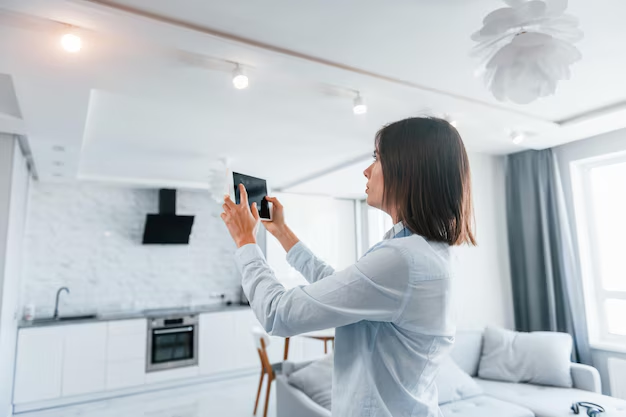
Smart Home Security: A Clear Guide to Protecting a Connected Home
Smart homes are no longer unusual. Many households now have connected speakers, lights, door locks, and thermostats. Within that bigger smart home picture, smart home security focuses on one thing: how these devices help you deter, detect, and respond to threats to your home and the people in it.
This page explains the landscape of smart home security so you can see how the pieces fit together, what research and experts generally say, and which variables tend to shape real-world outcomes. It does not tell you what you should do, because the right choices depend heavily on your home, your habits, your comfort with technology, and your risk tolerance.
What “Security” Means in a Smart Home
Smart home security usually refers to systems and devices that use connectivity, sensors, and automation to improve awareness and control over what happens in and around your home. It sits inside the broader smart home category but has a more focused aim: reducing the chances and impact of unwanted events such as break-ins, vandalism, or unauthorized access.
Where the overall smart home category might include entertainment, energy efficiency, and convenience, security tends to center on:
- Prevention – discouraging or making it harder for someone to enter without permission.
- Detection – noticing and recording unusual activity or environmental changes.
- Notification – letting you or others know, usually via apps, alerts, or monitoring centers.
- Response – triggering follow-up actions, from turning on lights to contacting authorities.
Smart home security overlaps with traditional home security (like alarms and locks) but adds:
- Connectivity: Devices talk to each other and to cloud services.
- Remote access: You can monitor and control systems from a distance.
- Automation: Events can trigger other actions (for example, motion at night turning on lights and recording video).
- Data: Logs, video history, and sensor data can be stored and reviewed.
The distinction matters because connectivity introduces new possibilities and new risks. Security is no longer just about locks and alarms; it also involves:
- Cybersecurity of devices and apps
- Privacy of recordings and data
- Reliance on internet, power, and cloud services
For some people, these trade-offs are acceptable; for others, they may be a reason to stay closer to traditional setups.
How Smart Home Security Systems Work at a Practical Level
At a high level, most smart home security setups have the same building blocks, even if they look very different from one another.
Core Components and How They Interact
Sensors and Inputs
These are devices that detect changes in the environment and send signals:
- Door and window sensors sense opening or closing.
- Motion sensors detect movement in a defined area.
- Glass-break sensors listen for the frequency of breaking glass.
- Smart locks register lock/unlock events and sometimes door position.
- Smart cameras and video doorbells capture video and often audio.
- Environmental sensors detect smoke, carbon monoxide, flooding, or extreme temperatures.
Most sensors are simple: they notice a change and report it. They do not “think” about context; that logic usually lives elsewhere.
The Hub or Controller
A hub (sometimes built into a router, smart speaker, or dedicated base station) coordinates devices and connects them to the internet. It:
- Listens for sensor events.
- Applies rules (for example: “if motion in this room while armed, sound alarm”).
- Relays alerts to your phone or a monitoring service.
- Sometimes stores data locally.
Some setups are “hubless” and rely on each device talking directly to the internet. The trade-off is usually between simplicity and how much control you have over local behavior if the internet is down.
Connectivity and Protocols
Devices communicate using protocols like Wi‑Fi, Zigbee, Z‑Wave, Thread, or Bluetooth. Each has strengths and weaknesses around range, power use, and reliability. In general:
- Wi‑Fi: High bandwidth, good for cameras; more power-hungry.
- Zigbee/Z‑Wave/Thread: Designed for low-power, mesh networks of sensors and switches.
- Bluetooth: Short range, often used for direct phone-to-device tasks.
The choice of protocol affects battery life, latency, and how many devices can work together, but there is no single “best” option for all homes.
Apps and Interfaces
Most smart security systems rely on phone apps and sometimes web dashboards. These:
- Show real-time status and history.
- Let you “arm” or “disarm” systems.
- Allow you to set up automation rules.
- Manage user permissions and access.
From a security standpoint, apps become another entry point that needs protection (for example, with strong passwords and multifactor authentication).
Cloud Services and Storage
Many smart home security devices send data to cloud servers:
- For push notifications.
- For remote access from outside your home network.
- For video storage and analytics (like motion detection zones or object recognition).
Cloud services can add features but also introduce ongoing dependencies: subscriptions, data retention policies, and possible changes over time if services are updated or discontinued.
Armed Modes, Zones, and Automation
Beyond the hardware, a lot of the “smartness” lives in software logic.
- Armed modes: Common modes include “Home,” “Away,” and “Night,” each with different rules about which sensors trigger alerts.
- Zones: Sensors are grouped by area or function so you can treat them differently (for example, garage vs. bedroom).
- Automation routines: Events can trigger sequences:
- Motion on driveway → turn on outdoor lights → start recording → send alert.
- Door unlocked by a trusted code → disarm alarm → turn on hallway lights.
Research and industry experience generally show that usability and clear modes reduce false alarms and increase the chance people actually use and maintain their systems. Complex, confusing setups tend to be disabled more often.
Where Evidence Stands on Effectiveness
Studies on crime prevention and situational crime control (often observational rather than experimental) suggest:
- Visible security measures like cameras, lighting, and signs may have a deterrent effect in some contexts.
- Alarm systems (smart or not) are often associated with lower burglary rates in covered homes and neighborhoods, although much of this evidence is correlational, not strictly causal.
- Lighting and natural surveillance (being seen) are repeated themes in crime prevention research; smart systems can support these by automating lights and alerts.
Evidence is stronger for basic principles (visibility, access control, timely response) than for any one specific smart device. Outcomes vary by neighborhood, building type, and how consistently systems are used.
Key Trade-offs Unique to Smart Security
Smart home security introduces decisions that go beyond traditional locks and alarms. Several trade-offs come up repeatedly.
Convenience vs. Attack Surface
Smart systems make it easy to:
- Unlock doors remotely.
- Let in guests without keys.
- See your home from anywhere.
- Automate daily routines.
At the same time, each connection point (device, app, cloud account) increases the “attack surface”—the number of ways something could be misused, misconfigured, or compromised.
Experts in cybersecurity and privacy repeatedly emphasize:
- Convenience features can sometimes be misused if access controls are weak.
- Human factors (reused passwords, unsecured phones, sharing accounts) are common weak links.
- Vendor choices around software updates and security policies matter for long-term resilience.
Data Richness vs. Privacy and Trust
Smart cameras, microphones, and sensors collect detailed information about daily life:
- Who comes and goes.
- When people are home.
- What rooms are used when.
- Potentially, conversations and faces.
That data can help you understand and respond to events, but it also raises questions:
- Who has access (household members, vendors, third parties)?
- How long is data stored, and where?
- What happens if a device is resold, replaced, or discarded?
Privacy and security researchers point out that metadata (like timestamps and motion patterns) can be revealing even without video or audio. Preferences around this vary widely from person to person and culture to culture.
Automation vs. Control and Predictability
Automation can:
- Catch events faster than a person would.
- Create the impression that a home is occupied.
- Provide consistent routines you might forget to do manually.
However:
- Overly complex automations can create unexpected behavior (lights or alarms going off at odd times).
- Misconfigurations can lead to false alarms, which can be stressful and, in some areas, may lead to fines if they involve emergency services.
- Not everyone in a household may understand or agree with the automation rules.
Behavioral research around technology adoption suggests that perceived control and predictability strongly influence whether people feel comfortable with automation. People who feel systems are “doing things on their own” without clear reasons may be less likely to keep them enabled.
Variables That Shape Smart Home Security Outcomes
Smart home security is not one-size-fits-all. Several factors tend to shape how well systems align with a particular home and its residents.
1. Type of Home and Physical Layout
- Apartments and condos often have shared entrances, building security policies, and limited ability to modify doors, walls, or wiring.
- Single-family homes may have more entry points (doors, windows, garage) and outdoor areas to monitor.
- Multi-level homes might need more sensors and may be more affected by Wi‑Fi coverage issues.
The number of possible entry points, wall types, and distance between devices and hubs influence what’s practical and reliable.
2. Occupancy Patterns and Household Members
- People who are often away from home may value remote monitoring and notifications differently than people who are rarely out.
- Households with children, older adults, or guests may need simpler interfaces, clear routines, or additional safeguards to avoid accidental triggers.
- Shared households can raise questions about who can access cameras, locks, and logs, and how comfortable everyone is with being recorded.
Research on technology in households shows that shared norms and clear communication often matter as much as technical features.
3. Neighborhood and Local Context
- Crime levels and types vary by area. Some neighborhoods see more opportunistic property crime; others may have lower rates overall.
- Law enforcement response times and policies influence how people weigh monitored alarms.
- Local regulations can affect where cameras can be pointed, how loud alarms can be, and whether certain devices are allowed.
Available statistics are usually aggregated and may not predict individual experiences, but they contribute to how people perceive their own risk.
4. Technical Comfort and Maintenance
Smart systems require some ongoing attention:
- Keeping apps updated.
- Replacing batteries in sensors and locks.
- Responding to notifications and error messages.
- Adjusting automations when routines change.
People who are comfortable troubleshooting basic tech issues may feel more at ease with complex setups. Others may prefer simpler, more “set-and-forget” arrangements, even if that limits features.
5. Budget and Ongoing Costs
Costs can include:
- Upfront devices (locks, cameras, sensors, hubs).
- Possible installation fees.
- Optional monthly fees for monitoring or cloud storage.
For some, the main question is how to get basic coverage within a modest budget. For others, long-term reliability, local storage, or redundancy may justify higher costs. Research on consumer behavior suggests that unexpected ongoing fees can strongly influence satisfaction over time, sometimes more than upfront price.
6. Risk Tolerance and Personal Priorities
Some people are comfortable with more cameras and data collection if they feel it improves their sense of safety. Others prefer to limit or avoid always-on recording, even if that means fewer details in an incident. Values around privacy, autonomy, and trust in technology companies often guide these decisions as much as technical features do.
Different Smart Home Security Profiles
Because circumstances differ so widely, people often land on different points along a broad spectrum. The descriptions below are general patterns, not prescriptions.
Minimalist “Awareness-First” Setup
This profile often focuses on:
- A few key entry sensors or a single camera.
- Simple notifications when something changes.
- Basic lighting timers or smart bulbs to make a home look occupied.
People in this category may:
- Want an incremental step beyond traditional locks.
- Be cautious about cost, complexity, or privacy.
- Prefer to avoid subscriptions or professional monitoring.
The trade-off is that coverage is limited. Some events might go unnoticed, but maintenance and complexity are also lower.
Connected but Privacy-Conscious Setup
Here, the aim is to:
- Increase protection and awareness.
- Limit who can see data and where it goes.
Common themes include:
- Preference for devices that store data locally (for example, on a hub or local recorder).
- Restrictive sharing settings, careful control of user accounts, and strong authentication.
- Limited or carefully placed cameras, with attention to avoiding sensitive areas.
Privacy research suggests that people in this group often weigh peace of mind from surveillance against discomfort with constant monitoring, and may rely more on perimeter devices than interior ones.
Fully Integrated Smart Security Ecosystem
This profile tends to include:
- Many sensors (doors, windows, motion, glass-break, environment).
- Multiple cameras inside and outside.
- Integrated smart locks, garage controllers, and lighting.
- Layers of automation and possibly professional monitoring.
People choosing this route may:
- Prioritize comprehensive coverage.
- Be comfortable with subscriptions and regular maintenance.
- Accept more data collection in exchange for detailed monitoring and response options.
The system can be powerful but also more complex. Outcomes depend heavily on correct setup, ongoing attention, and how household members use it.
Traditional Security with Light Smart Add-ons
Some people keep their existing alarm system (wired sensors, keypad, siren) and add only a few smart features, like:
- A smart lock for the front door.
- A single outdoor camera.
- A smart smoke detector or leak sensor.
This approach recognizes the stability of long-established systems while adding selected conveniences or extra awareness. The result can be a balance between familiarity and modernization.
Core Subtopics Within Smart Home Security
Smart home security is a broad area. Readers often find it helpful to explore specific questions and components. These are some of the main subtopics that naturally branch out from this hub.
1. Smart Locks and Access Control
Smart locks replace or augment traditional key-based locks with digital controls. They may:
- Use keypads, phone apps, or temporary codes instead of or alongside physical keys.
- Log entries and exits with timestamps.
- Integrate with other devices (for example, disarming an alarm when unlocked).
Experts in physical security emphasize that any lock, smart or not, is only one part of access control, which also involves door construction, hinges, and overall door frame strength. Digital features may add convenience and visibility but do not change basic physical realities.
Key questions in this subtopic include:
- How do different authentication methods compare in reliability and risk?
- What happens during power or internet outages?
- How are lost phones or shared codes handled?
2. Smart Cameras and Video Doorbells
Smart cameras and video doorbells are often the most visible smart security devices. They can:
- Provide real-time viewing from phones or computers.
- Record motion-triggered or continuous video.
- Offer features like facial recognition or package detection, depending on the system.
Research and expert commentary point to both benefits and concerns:
- Cameras can help document events, support police investigations, and deter some opportunistic crime.
- They also raise privacy questions for household members, guests, delivery workers, and neighbors.
- Advanced analytics (like identification features) are an area of active debate around bias, accuracy, and appropriate use.
Subtopics here include camera placement, video storage choices, notification settings, and legal considerations about recording in different jurisdictions.
3. Alarm Systems and Monitoring (Professional and Self-Monitored)
A smart alarm system typically combines sensors, a siren, and some form of monitoring:
- Self-monitoring: Alerts go straight to you or your chosen contacts.
- Professional monitoring: A third-party center receives alerts and follows defined procedures, which may include contacting you and/or dispatching emergency services.
Research on alarm systems generally shows:
- Alarm presence can play a role in crime deterrence, although it’s one factor among many.
- False alarms are a well-known issue, and some municipalities regulate responses or impose fines.
Within smart home security, this subtopic covers:
- The difference between no monitoring, self-monitoring, and professional monitoring.
- How alarm verification works (for example, video or audio confirmation).
- The balance between sensitivity and false alarms.
4. Environmental and Life-Safety Sensors
Smart security is not just about intruders. Environmental sensors extend protection to:
- Smoke and carbon monoxide: Smart detectors can send alerts to phones, interconnect alarms, and sometimes provide voice instructions.
- Water leaks and flooding: Sensors can notice water in basements, near appliances, or under sinks.
- Temperature extremes: Alerts when pipes might freeze or indoor conditions become unsafe.
Evidence around these devices centers mostly on earlier detection and faster awareness, which may reduce damage or injury in some scenarios. The exact impact depends on response time, building type, and other factors.
Subtopics include where to place sensors, how alerts are routed, and whether automations like shutting off water valves are integrated.
5. Network Security for Smart Home Devices
Because smart security devices are connected, network and account security become part of home protection. This subtopic covers:
- Router configuration and guest networks.
- Software and firmware updates for devices.
- Account security measures such as multifactor authentication and unique passwords.
Cybersecurity research consistently finds that:
- Many attacks exploit weak or reused passwords, unpatched software, or misconfigurations.
- Automated scans and “opportunistic” attacks are common; attackers often do not target individuals personally but look for any vulnerable device.
For some readers, this area feels technical, but it often has a strong influence on overall resilience.
6. Privacy, Law, and Ethics in Smart Home Security
Smart home security intersects with privacy law, data protection, and ethics:
- Local laws may limit audio recording, dictate where cameras can be aimed, or require notice to guests.
- Different regions have different rules about data storage, children’s data, and sharing footage with authorities.
- Ethical questions arise around recording shared living spaces, consent within households, and storing data about workers or visitors.
Scholars and civil liberties groups highlight the importance of understanding who controls data and how it might be used beyond its original purpose. Readers exploring this subtopic often consider how to balance safety, privacy, and fairness in their own context.
7. Integration With Other Smart Home Functions
Smart security devices can interact with:
- Lighting (to simulate presence or improve visibility).
- Smart speakers and displays (to announce events or show camera feeds).
- Thermostats and HVAC (for away modes or fire responses).
- Garage doors and gates (for secure access).
This subtopic looks at coordination: when devices from different categories work together smoothly, and when fragmentation or incompatibility creates gaps.
How Smart Home Security Options Compare
Different approaches to smart home security can be compared across a few general dimensions. The table below is simplified; specific products and setups vary widely.
| Approach | Typical Strengths | Typical Limitations |
|---|---|---|
| Traditional alarm, minimal “smart” | Familiar, often reliable, limited internet exposure | Less remote control, fewer automation features |
| Light smart add-ons (one camera, lock) | Incremental awareness, modest complexity | Partial coverage, some data still relies on cloud |
| App-based DIY smart system | Flexible, lower upfront cost, high customization | Depends on user setup; may have more false alarms |
| Professionally installed smart system | Expert design, integrated monitoring | Higher cost, contracts, reliance on vendor ecosystem |
| Privacy-focused, local-storage approach | Greater data control, reduced cloud dependence | May require more technical setup and maintenance |
These are general patterns drawn from industry descriptions and consumer reports; they are not universal rules. Individual experiences differ depending on vendor quality, configuration, and local conditions.
Connecting the Dots: Where Your Situation Fits In
Smart home security combines physical devices, software, networks, and human behavior. Research and expert experience broadly support a few ideas:
- Physical basics (solid doors and locks, visibility, and awareness of routines) still matter.
- Clear, usable systems are more likely to be used consistently.
- Network and account security have become part of home security basics.
- Privacy and data practices are as central as hardware, especially for cameras and microphones.
Beyond that, the “right” level of smart security varies widely. The personal factors described earlier—home type, household composition, neighborhood, budget, comfort with technology, and values around privacy and safety—tend to matter as much as any single device or feature.
From here, readers often dive into more focused guides on topics like choosing smart locks, comparing camera options, understanding monitoring models, or improving network security for smart devices. Each of those subtopics brings its own details, trade-offs, and questions to weigh against individual circumstances.