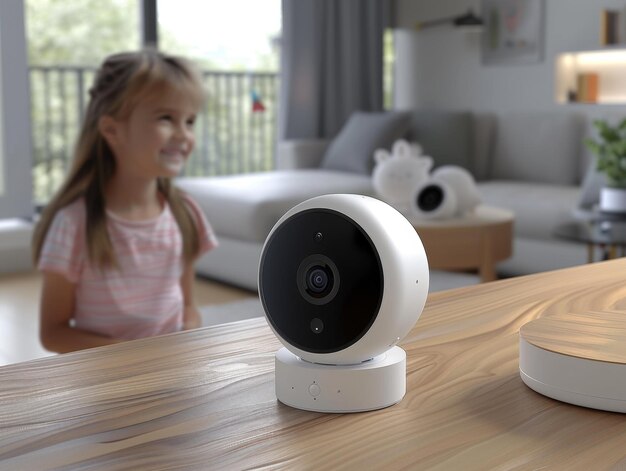
Best Home Security Systems Compared: A Plain‑English Guide
Choosing a home security system isn’t just about gadgets and apps. It’s about what fits your home, your budget, and how much responsibility you want to take on day to day.
You’ll see a lot of “best of” lists that push specific brands. This guide takes a different approach: it explains the types of systems, how they differ, and what trade‑offs you’ll face, so you can decide what “best” means for you.
Quick Overview: Main Types of Home Security Systems
Most home security setups fall into a few broad categories:
| Type of System | Who Monitors It? | How It Connects | Typical Fit |
|---|---|---|---|
| Professionally monitored | 24/7 central monitoring | Often wireless | People who want “set it and forget it” oversight |
| Self‑monitored (DIY) | You and your phone alerts | Wireless | Tech‑comfortable or budget‑focused homeowners/renters |
| Wired systems | Pro or self (less common) | Hardwired to home | Long‑term homes, new builds, or where reliability is a top priority |
| Wireless systems | Pro or self | Wi‑Fi / cellular | Most modern homes, renters, people who might move |
| Local‑only (no internet) | You (on‑site only) | Sirens / chimes only | Very tight budgets or areas with unreliable internet |
| Smart home–integrated | Pro or self | App‑based, voice | People who want automation and convenience with their security |
“Best” for one person might be a full pro‑monitored package; for someone else, it might be a few DIY cameras and door sensors they control from their phone.
Core Parts of a Home Security System (and What They Actually Do)
Most systems—no matter the brand—share the same basic building blocks:
1. Control panel or base station
- What it is: The “brain” of the system.
- What it does: Connects to sensors, your network, and sometimes the monitoring center. This is where you arm/disarm the system.
- Variables that matter:
- Touchscreen vs. simple keypad vs. app‑focused hub
- Battery backup for power outages
- Cellular backup if your internet goes down
2. Entry and motion sensors
- Door/window sensors: Tell the system when an entry point opens.
- Motion detectors: Sense movement inside a room or hallway.
- Factors to weigh:
- Sensitivity (to avoid false alarms from pets or curtains)
- Coverage (how many doors/windows you care about)
- Range (how far they can be from the hub)
3. Cameras (indoor, outdoor, doorbell)
- What they add: Visual evidence, the ability to check in live, and often two‑way audio.
- Types:
- Indoor cams (living spaces, hallways)
- Outdoor cams (driveway, backyard)
- Video doorbells (front door, packages)
- Key differences:
- Resolution and night vision quality
- Whether clips are stored in the cloud or locally
- How motion detection is handled (person detection vs. “anything that moves”)
4. Alarms and notifications
- Sirens: Loud noises that can deter intruders and alert neighbors.
- Push alerts / texts / calls: Let you know what’s happening when you’re away.
- Monitoring responses: With professional monitoring, staff can try to verify an alarm and contact emergency services.
5. Extra safety add‑ons (often under “Home Safety” / “Safety & Security”)
- Smoke and CO detectors that talk to your system
- Flood / leak sensors (under sinks, near water heaters)
- Glass break sensors (for big windows)
- Smart locks and garage door controllers
These extras are where a basic security system turns into a broader home safety setup.
Professionally Monitored vs. Self‑Monitored Systems
This is one of the biggest dividing lines when you compare home security systems.
Professionally monitored systems
How they work:
- Your system is connected to a 24/7 monitoring center.
- If a sensor is triggered and you don’t disarm it, the center is notified.
- They may try to contact you and, if needed, contact emergency services.
Upsides:
- Someone is watching when you’re asleep, at work, or on a plane.
- Can reduce the pressure on you to make split‑second decisions.
- Often pairs with other monitored devices (smoke, CO, flood).
Trade‑offs:
- Usually involves ongoing monthly fees and sometimes contracts.
- False alarms can create headaches and, in some areas, potential fines.
- You have less direct control over how emergency responses are triggered.
Who it tends to suit:
- People who travel often or work odd hours
- Those who don’t want to rely on their phone battery or signal
- Households who prefer a more “hands‑off” security approach
Self‑monitored (DIY) systems
How they work:
- The system sends alerts to your phone (and sometimes multiple users).
- You decide how to respond: speak through the camera, call a neighbor, or call emergency services yourself.
Upsides:
- Often lower ongoing costs; some systems have no mandatory subscription.
- More flexibility in how you set things up and respond.
- Good for renters and people likely to move.
Trade‑offs:
- If you’re in a no‑signal area, asleep, or miss notifications, no one else is watching.
- Can feel stressful if you’re getting frequent motion alerts.
- Some advanced features (like recording storage) may require a subscription anyway.
Who it tends to suit:
- People comfortable managing tech and notifications
- Those on tighter budgets who still want modern protection
- Homes where someone is often present and able to respond
Wired vs. Wireless: Reliability vs. Flexibility
You’ll also notice comparisons between wired and wireless systems. Many modern systems actually mix both, but the core differences are:
Wired home security systems
- Installed with cables running through walls to each sensor and camera.
- Often more stable because they don’t depend on Wi‑Fi for each device.
- Common in:
- New construction
- Long‑term homes where you plan to stay for years
- Properties where reliability is a top concern
Pros:
- Less vulnerable to Wi‑Fi glitches
- No batteries to recharge or replace for most sensors
- Can be harder for intruders to disable casually
Cons:
- Usually requires professional installation
- Difficult to move with you if you relocate
- Harder to reconfigure once installed
Wireless home security systems
- Sensors and cameras connect using Wi‑Fi, radio, or cellular.
- This is what most DIY and many modern pro‑monitored systems use.
Pros:
- Easy to install—often peel‑and‑stick sensors
- Flexible: you can add or move devices as your needs change
- Better fit for renters and people who expect to move
Cons:
- Sensors need battery changes or recharging
- Can be affected by Wi‑Fi issues or interference
- Placement matters more for signal strength
Comparing Common Home Security Features Side by Side
Here’s a high‑level comparison of how different aspects typically look across systems:
| Feature / Aspect | Pro‑Monitored Systems | DIY / Self‑Monitored Systems |
|---|---|---|
| Upfront setup | Often installed by a tech; more set‑up done for you | You install and configure everything yourself |
| Monthly costs | Common, especially with long‑term service plans | Ranges from none to subscription for extra features |
| Emergency response path | Monitoring center contacts you / emergency services | You decide and call if needed |
| Flexibility / portability | Less flexible, especially if wired or under contract | Usually very flexible; easier to take when you move |
| Control & customization | More standardized, sometimes fewer tinkering options | Often many app settings, schedules, and custom alerts |
| Best for | Set‑and‑forget, “someone else is watching” comfort | Control, cost‑conscious users, and tech‑savvy households |
Different brands will tweak these, but the basic pattern stays roughly the same.
Smart Home Integration: Nice‑to‑Have vs. Need‑to‑Have
Many security systems now double as smart home hubs. You’ll see integrations with:
- Voice assistants (e.g., voice arming, camera feeds on a smart display)
- Smart locks (auto‑lock when you arm the system)
- Smart lights (turn on when motion is detected at night)
- Thermostats (switch to away mode when system is armed)
For some people, this is a bonus. For others, it’s the main attraction.
Things to consider:
- Do you already use a smart home platform?
Systems sometimes work better with certain ecosystems than others. - Are you comfortable tying security to your other smart devices?
More connections can mean more convenience, but also more to manage. - Will you actually use automation, or do you mainly want basic safety?
If home automation appeals to you, compare systems not just on sensors and cameras, but also on what they can control and how reliable their apps are.
Cost Factors: What Typically Drives the Price Up or Down
You won’t find specific prices here because they change frequently and vary by brand, promotions, and region. But you can understand the levers that affect cost:
Equipment size and complexity
- More doors, windows, and outdoor areas usually means more sensors and cameras.
- High‑end cameras, video doorbells, or smart locks add to the total.
Professional vs. DIY installation
- Professional installs usually add to upfront cost but may reduce your time and effort.
- DIY can be very affordable but may require troubleshooting on your own.
Monitoring and subscriptions
- Pro monitoring is almost always a recurring cost.
- Cloud video storage, advanced motion detection, and AI features may require monthly or yearly fees even on DIY systems.
Contracts vs. no contracts
- Some pro systems use contracts that spread equipment costs over time.
- Many DIY systems are no‑contract but may have optional subscriptions.
Add‑on safety devices
- Integrated smoke/CO detectors, flood sensors, and extra keypads can increase the price—but may also broaden your overall home safety coverage.
When comparing, it helps to think in terms of total cost over a few years, not just the starter kit price.
Common Terms You’ll See (and What They Really Mean)
Security marketing can get buzzword‑heavy. Here are plain‑language versions of frequent terms:
- 24/7 monitoring: A monitoring center is always open and can respond to alarms at any time.
- Cellular backup: If your internet goes down, the system can still send alerts over a cellular network.
- Redundant monitoring centers: The company has more than one monitoring facility, so service can continue if one has an outage.
- Smart detection / person detection: Cameras try to tell the difference between people, animals, and general motion to reduce false alerts.
- Geofencing: The system can use your phone’s location to arm/disarm automatically when you leave/arrive.
- Local storage vs. cloud storage:
- Local: Videos saved on a device in your home (like a hub or memory card).
- Cloud: Videos uploaded and stored on remote servers you access via app.
- Crash and smash protection: The system is designed to send an alert even if someone destroys the keypad/hub soon after entering.
You don’t need every buzzword feature, but recognizing the terms helps you compare systems in a more apples‑to‑apples way.
How Your Home and Lifestyle Shape the “Best” System
The same system can be a perfect fit for one person and a bad match for another. Here are key variables that tend to matter most:
1. Home type and size
Apartments / condos:
- Often fewer entry points; sometimes building security already in place.
- Wireless DIY kits with door sensors and a camera or two may cover most needs.
- Noise and landlord rules may limit where sirens or outdoor cams can go.
Single‑family homes:
- More doors, windows, and potential blind spots.
- Outdoor cameras and video doorbells become more useful.
- Larger homes may need multiple motion sensors and possibly mesh Wi‑Fi for reliable connectivity.
New builds or renovations:
- Sometimes easier to consider wired systems while walls are open.
- You can plan security along with the rest of your electrical layout.
2. Ownership vs. renting
Owners may be more willing to:
- Drill holes for wired equipment
- Invest in systems that are harder to move, like in‑wall panels
Renters usually need:
- No‑drill, peel‑and‑stick, and easily removable sensors
- A system you can take with you if you move
3. Daily routines and travel
Frequent travelers / shift workers:
- Pro monitoring can offer peace of mind when you’re not easily reachable.
- Battery backups and cellular backup may matter more to you.
Work‑from‑home or stay‑at‑home households:
- May lean toward self‑monitoring with indoor cameras to check kids, pets, or deliveries.
- Might prefer more flexible notification settings so frequent motion doesn’t get annoying.
4. Comfort with technology
Tech‑comfortable users:
- Tend to get more out of smart home integration and DIY setups.
- Are usually fine handling their own sensor pairing and troubleshooting.
Non‑techy users:
- Might prefer professionally installed and configured systems.
- May value simple, reliable keypads over complex app settings.
5. Neighborhood environment
High‑traffic urban areas:
- Doorbell cameras and smart locks can be especially useful.
- More motion can mean more alerts; person detection features help.
Quieter suburban or rural settings:
- Long driveways and large yards may call for outdoor cameras with good range.
- Internet reliability can influence whether you prioritize local storage or cellular backup.
Questions to Ask When Comparing Home Security Systems
Instead of starting with, “Which brand is best?”, it often helps to start with: “What do I need this system to do for me?”
Here are practical questions that help you compare options:
What am I most worried about?
- Break‑ins? Package theft? Fire? Water damage?
The mix of gear (cameras vs. sensors vs. detectors) shifts depending on your top concerns.
- Break‑ins? Package theft? Fire? Water damage?
Who should be notified when something happens, and how?
- Do you want a monitoring center involved, or do you want to handle alerts yourselves?
- Should multiple family members get notifications?
How comfortable am I installing and maintaining the system myself?
- If “not very,” you might favor pro‑installed and pro‑monitored setups.
- If “very,” DIY systems open more options with less ongoing cost.
What’s my realistic budget over the next few years?
- Look at equipment + any required subscriptions, not just the starter price.
- Decide what you’re willing to trade—fewer cameras, or no pro monitoring, etc.—to stay within that range.
How likely am I to move in the next few years?
- If there’s a good chance, portability and no long‑term contracts may matter more than anything else.
How important is smart home integration to me?
- If it’s important, check compatibility with your existing devices and platforms.
- If it’s not, a simpler, more focused security system might suit you better.
Where Home Safety Fits In: Thinking Beyond Intruders
Many “best home security system” comparisons focus on burglars, but home safety goes wider than that:
- Fire and smoke detection that can alert you and, with some monitored systems, a central station
- Carbon monoxide monitoring, especially important with gas appliances
- Water leak sensors near washing machines, water heaters, or basements prone to flooding
- Medical alert features for households with older adults or health concerns
When you compare systems, it can help to look not just at how they handle Security & Safety (like break‑ins) but how they can support Home Safety more broadly. For some people, the ability to catch a water leak early might matter just as much as catching a trespasser.
Final Thought: How to Use This Information
The “best” home security system is usually the one that:
- Matches your home’s layout and your neighborhood,
- Fits your comfort level with technology and responsibility,
- Covers the risks you actually care about most,
- And lands within what you’re willing and able to spend over time.
From there, comparing specific brands or packages becomes much easier. You’re not asking, “What’s the best system overall?” You’re asking, “Which system best fits the kind of setup I’ve decided I want?”
Once you know whether you lean toward pro‑monitored vs. self‑monitored, wired vs. wireless, basic vs. smart‑home integrated, and how broad you want your home safety coverage to be, you’ll be in a strong position to compare detailed options confidently—without needing anyone else to tell you what should matter most.